

Online privacy is no longer a niche concern. Whether you’re using public Wi-Fi at an airport, streaming content from another region, or simply trying to keep your browsing habits private, a VPN can help reduce everyday exposure. Panda VPN positions itself as a lightweight, easy-to-use solution for casual users who want basic protection without dealing with complex settings.
But ease of use often comes with trade-offs.
In this detailed Panda VPN review, we take a realistic look at what the service offers, where it performs well, and where it clearly falls short. This is not a promotional breakdown. Instead, it’s written for users who want to understand whether Panda VPN—or Panda VPN Pro—is actually suitable for their needs before committing.
What Panda VPN Is Designed For?
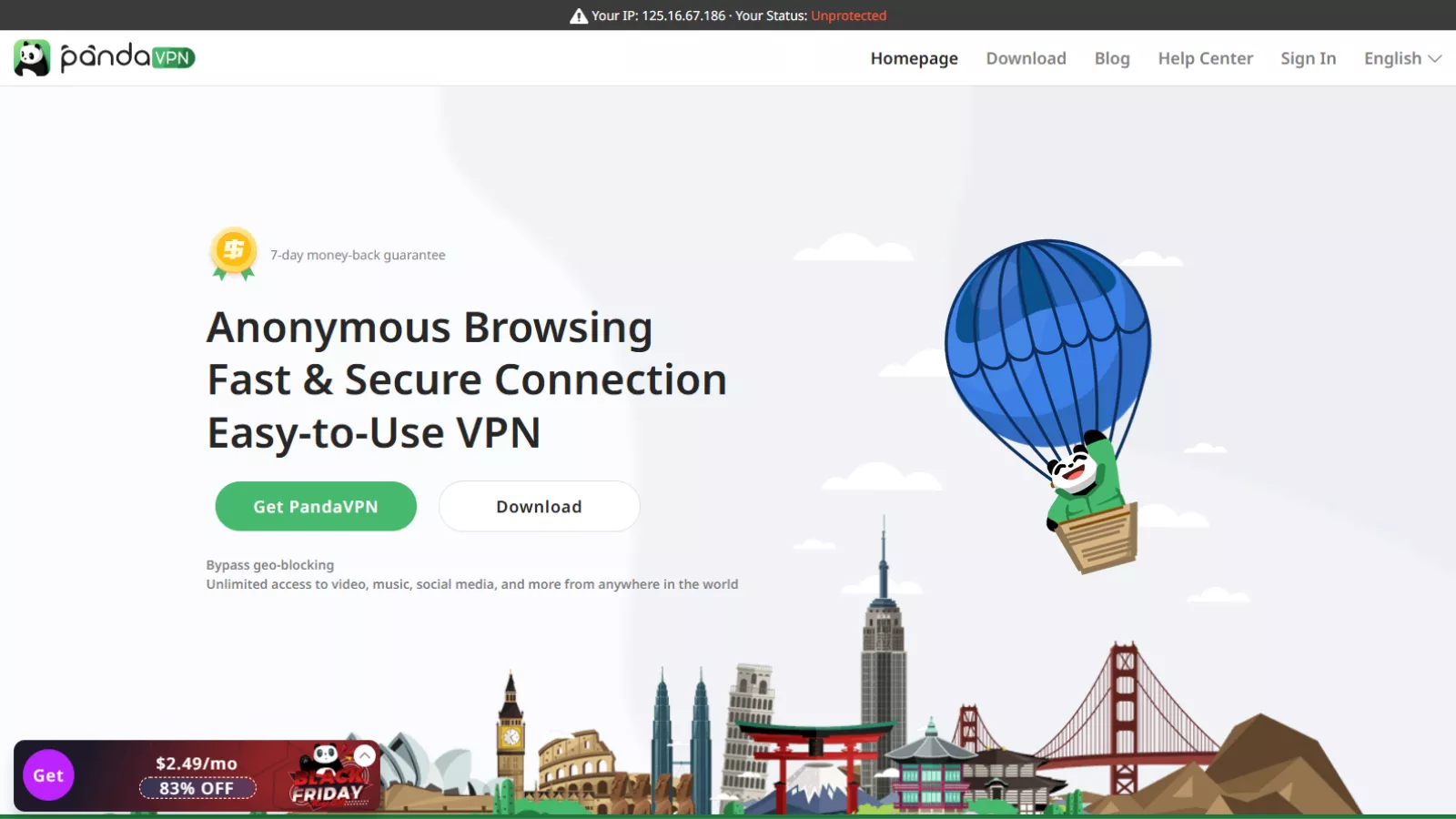
Panda VPN is primarily built for beginner-level users. It focuses on simplicity rather than advanced customization, which makes it appealing to people who want quick privacy protection without technical setup.
The VPN is available on:
- Windows
- macOS
- Android
- iOS
Across all platforms, the interface follows the same design principle: minimal controls, one-click connection, and automatic server selection. You won’t find a crowded dashboard or complicated menus here, and for many users, that’s intentional.
It aims to cover three main use cases:
- Basic online privacy
- Light geo-unblocking
- Safer browsing on public networks
It is not positioned as a high-security VPN for journalists, activists, or users dealing with strict censorship environments.
Interface and Ease of Use

One of Panda VPN’s strongest points is how approachable it feels from the moment you open the app.
The layout is clean and straightforward. Connecting to a server requires a single click, and server locations are listed in a simple, scrollable menu. Even users who have never used a VPN before will understand how to connect within seconds.
There’s very little learning curve:
- No complex protocol explanations inside the app.
- No advanced toggles that confuse beginners.
- No setup guides required to get started.
This simplicity makes it suitable for:
- Students
- Travelers
- Casual users
- People who only use a VPN occasionally
However, the same simplicity also limits flexibility, which becomes more noticeable for experienced VPN users.
Free Version: What You Get (and What You Don’t)
Panda VPN offers a free version, but it’s important to understand its limitations clearly.
Platform Restrictions
The free version is only available on mobile devices. There is no free desktop version, which immediately excludes users who primarily browse on laptops or PCs.
Ad-Supported Usage
On Android, it uses an ad-supported model. Watching short ads grants temporary access to VIP servers for a limited time. Once that time expires, another ad is required.
This setup may feel inconvenient, but it does provide a way to access basic VPN protection without paying upfront.
Performance of the Free Version
Speed on the free version is generally acceptable for:
- Browsing
- Social media
- Light streaming
However, it’s inconsistent. Server load and location can noticeably affect performance, and users should not expect stable speeds during peak hours.
The free version works best as:
- A short-term privacy solution
- An emergency VPN option
- A trial to understand how Panda VPN functions
It’s not ideal for long-term daily use.
Panda VPN Pro: What Changes With the Paid Plan
Upgrading to Panda VPN Pro removes most of the restrictions found in the free version.
With Panda VPN Pro, users gain:
- Access to more server locations
- Improved speed consistency
- No ads
- Desktop compatibility
- Better overall performance
Pricing is relatively affordable compared to many competitors, especially for longer subscription plans. While it’s not the cheapest VPN on the market, it sits comfortably in the budget-friendly category.
That said, Panda VPN Pro still lacks several features that are considered standard among top-tier VPN providers.
Server Network and Availability
Panda VPN claims to operate thousands of servers worldwide, spread across more than 170 server locations. In real-world use, the app doesn’t allow manual server selection at the individual server level. Instead, users choose a location, and it automatically connects them to what it considers the best available server.
This approach simplifies usage but reduces control.
For casual users, this isn’t a problem. For advanced users who prefer selecting specific servers for performance or security reasons, it may feel restrictive.
Server coverage is generally sufficient for:
- North America
- Europe
- Parts of Asia
- Select regions in the Middle East and South America
Speed and Performance
Speed performance is one area where Panda VPN performs better than expected for a lightweight service.
In multiple tests, the VPN showed:
- Minimal speed reduction in some cases
- Stable downloads for general browsing
- Acceptable upload speeds for video calls and cloud access
Interestingly, some connections showed negligible speed loss, which suggests efficient routing on certain servers. However, performance is not always consistent, especially on free servers or during peak usage hours.
For high-bandwidth activities like competitive gaming or large file transfers, Panda VPN may not be the most reliable option.
Streaming and Geo-Unblocking
Streaming is one of the most common reasons people use VPNs, and it performs reasonably well in this area.
It can bypass geo-blocks on platforms such as:
- Netflix (select regions)
- BBC iPlayer
- Some European streaming services
However, results vary by server. Some locations work seamlessly, while others may redirect users to unexpected regions or fail entirely.
Panda VPN is suitable for occasional streaming, but it’s not consistently reliable enough to be considered a top VPN for streaming enthusiasts.
Torrenting and P2P Use
Panda VPN does allow torrenting on specific servers, and performance is generally acceptable for casual P2P activity. Download speeds are reasonable, and connections remain stable during short sessions.
That said, there’s an important limitation.
No Kill Switch
It does not offer a kill switch. This means that if the VPN connection drops unexpectedly, your real IP address could be exposed without warning.
For users who torrent frequently or handle sensitive downloads, this is a significant drawback.
Security and Encryption
Panda VPN uses AES-256 encryption, which is widely recognized as industry-standard protection. This level of encryption is strong enough to prevent most forms of casual data interception, especially on public Wi-Fi networks.
The VPN also supports multiple protocols, including:
- Shadowsocks (for speed)
- OpenVPN (for stronger security)
- WireGuard (balanced performance and privacy)
This flexibility allows users to choose between faster speeds or stronger encryption depending on their activity.
Privacy Policy and Logging Concerns
Panda VPN states that it follows a no-logs policy, meaning it does not track browsing activity, IP addresses, or session data.
Additionally, the company is based in Seychelles, a jurisdiction known for strong data privacy protections and no mandatory data retention laws.
However, there is one notable concern.
No Independent Audit
It has not undergone a third-party security audit. Without independent verification, users must rely solely on the company’s privacy policy statements.
For casual users, this may be acceptable. For privacy-focused individuals who require verified transparency, this is a clear limitation.
What Panda VPN Does Not Offer
Despite its strengths, Panda VPN lacks several features commonly found in more advanced VPNs:
- No kill switch
- No multi-hop connections
- No split tunneling
- No dedicated IP addresses
- No transparency reports
- No third-party audits
These omissions clearly position Panda VPN as an entry-level service rather than a full-scale privacy solution.
Who Panda VPN Is Best For
Panda VPN makes sense if you:
- Want a simple VPN without technical setup
- Need quick protection on public Wi-Fi
- Use a VPN occasionally rather than daily
- Are new to VPNs and want a low-commitment option
- Prefer mobile VPN usage
Who Should Look Elsewhere
You may want to avoid Panda VPN if you:
- Require a kill switch for safety
- Need verified no-logs policies
- Torrent frequently or handle sensitive data
- Live in regions with strict censorship
- Want advanced customization options
Also Read
NordVPN Review | Best VPN Provider In The Market | Grab Deal Now!
Proton VPN Review: A Reliable Choice For Privacy And Security
Panda VPN Alternatives To Consider
If Panda VPN doesn’t fully meet your needs, here are a few well-known alternatives worth looking at, depending on what you prioritize:
- NordVPN – A security-focused VPN with a kill switch, audited no-logs policy, and strong performance for privacy-heavy use cases.
- Surfshark – A budget-friendly option offering unlimited device connections, solid streaming access, and advanced security features.
- ExpressVPN – Known for consistently high speeds, reliable streaming support, and strong privacy protections backed by audits.
- CyberGhost – User-friendly VPN with specialized servers for streaming and torrenting, making it a good step up from entry-level services.
- Proton VPN – A privacy-first VPN developed by the Proton team, offering strong transparency and a reputable free plan with clear limitations.
Panda VPN Pricing Review
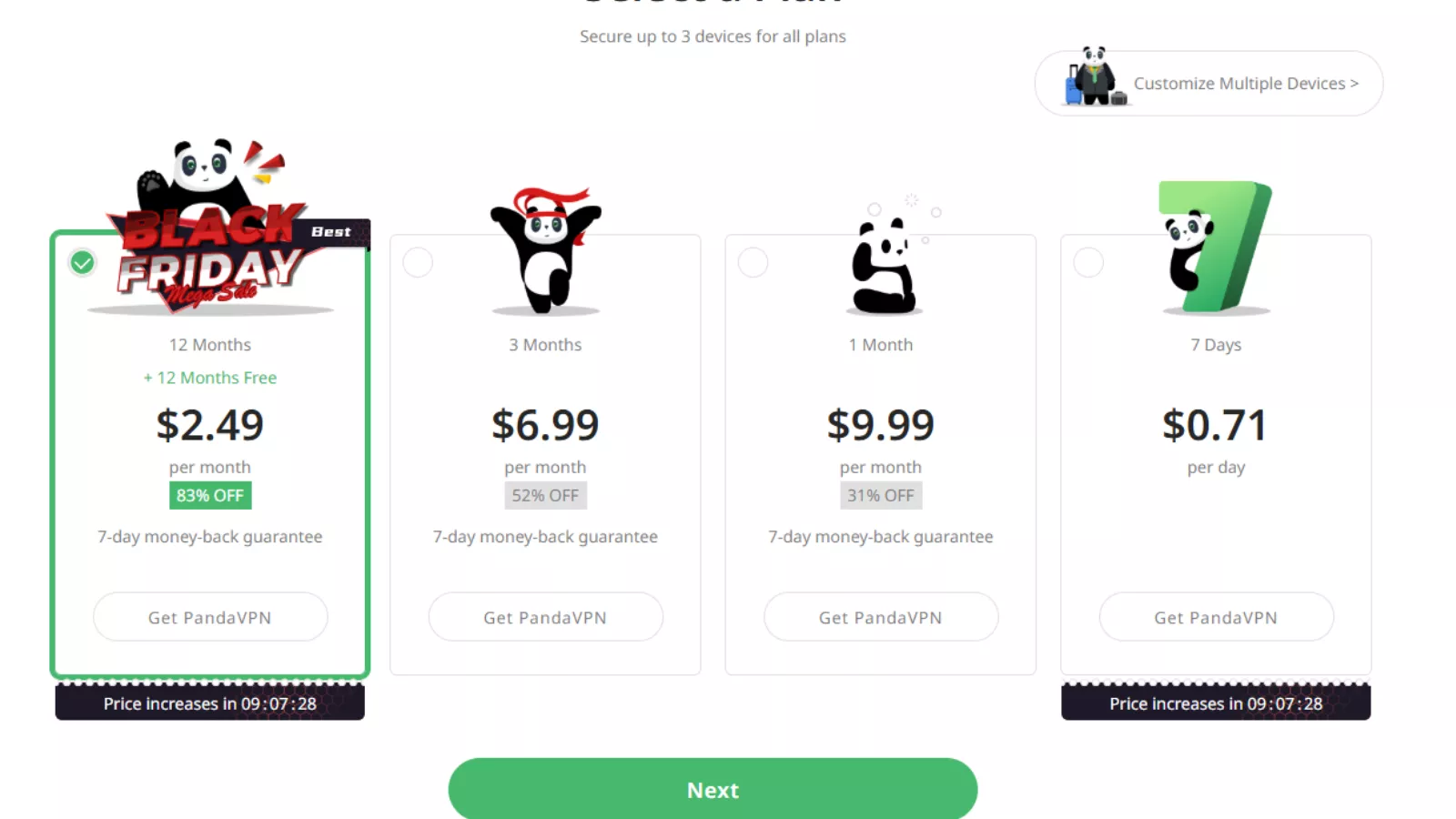
Panda VPN offers flexible pricing that caters to short-term and long-term users. The best value comes from the long-term plan, which brings the monthly cost down to $2.49 per month, making it competitive in the budget VPN segment. Shorter plans are more expensive, with the one-month plan priced at $9.99, which feels high compared to feature-rich competitors. All plans include a 7-day money-back guarantee and support up to three devices. Overall, its pricing is reasonable for casual users, especially if you opt for the longer subscription.
Final Verdict: Is Panda VPN Worth Using?
Panda VPN does what it claims—no more and no less.
It provides basic privacy, acceptable speeds, and simple geo-unblocking in an interface that’s easy for anyone to use. Panda VPN Pro improves performance and removes limitations, but even the paid version remains focused on simplicity rather than advanced security.
This makes Panda VPN a functional entry-level VPN, not a complete privacy solution.
If your needs are casual—checking emails on public Wi-Fi, browsing privately, or streaming occasionally—Panda VPN can be a reasonable choice. If you require strong privacy guarantees, advanced security features, or audited transparency, you’ll likely need a more established VPN provider.
It works best as a lightweight, beginner-friendly VPN for everyday online tasks, not as a tool for serious privacy protection.
FAQs
Does Panda VPN work in countries with strict internet restrictions?
It may work inconsistently in heavily restricted regions. While some protocols like Shadowsocks can help, it is not designed to reliably bypass strong censorship systems.
Can Panda VPN be used on multiple devices at the same time?
Yes, it Pro allows simultaneous connections, but the limit is lower than many competitors, making it less suitable for households with many devices.
Does Panda VPN slow down battery life on mobile devices?
It is relatively lightweight, but continuous VPN usage—especially with GPS-heavy or encrypted connections—can slightly increase battery consumption on mobile phones.
Is Panda VPN safe for online banking and payments?
It provides sufficient encryption for general security, but users handling sensitive financial transactions may prefer a VPN with audited security and a built-in kill switch.
Does Panda VPN support router installation?
No, it does not offer native support for routers or manual configuration files, limiting its use to individual devices only.
Can Panda VPN be used for gaming?
It can handle casual gaming, but it is not optimized for low-latency performance. Competitive gamers may experience lag depending on server location.